Showing posts with label shareware. Show all posts

Wednesday, September 24, 2008

Create 3D Virtual Desktop With DeskSpace

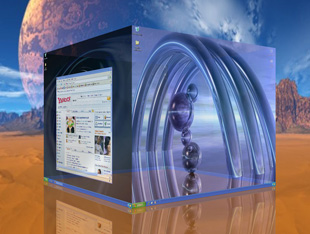
If you have experiences with linux, you will know about cube from compiz. This application can make your desktop nice, you can move from 1 desktop to another desktop with cube function.

We don't talk about compiz, we talk about DeskSpace. With this application you can change your plain desktop being cube desktop, With DeskSpace we can significantly increases our desktop space, and we can work and play on multiple desktops and switch it quickly.

This application easy for used and control and you can configure the application from system tray. They give us offline help documentation that you can get from the menu.

When I try this application I get a little problem my cube it's on gray mode not like on this site.
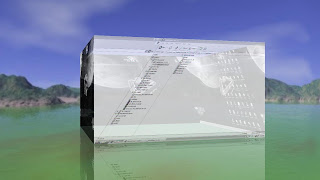

This is feature you can get from this application:
  • Work and play on multiple desktops.
  • Display multiple desktops in stunning 3D.
  • Different application on every side
  • Quickly switch between desktops using the mouse and keyboard.
  • Drag windows between desktops by moving them to the sides of the screen.
  • Display desktops in 3D on multiple monitors.
  • Configure the hot keys and mouse buttons used to switch between desktops, and how DeskSpace displays and manages desktop.
  • Use DeskSpace in multiple languages.
  • Change the background of cube
This is not freeware application, but you can try this application for 14 days on here or if you want to try this application from another source you can check on here.

Monday, January 7, 2008

Portable Tuneup Utilities 2008

Do you know about tuneup utilities, they are release the new version 2008. If you want to download portable version you can click this link.

New feature that you can get from this feature is:
  • Effortless improvement of performance and organization as well as more disk space.
  • Now with hard drive defragmenter, brand-new clean-up tools, and much more!
  • All of the functions have a completely new operating concept.

Wednesday, January 2, 2008

If you usually use process explorer you will not strange with Security Task Manager, this application is shows all active processes on your computer. With Rating system that tells you all the relevant security functions a process contains.

With this application you will know what exactly the process file and you can end process, unnistall or just give the comment about the process.


Security Task Manager displays detailed information about all running processes (applications, DLL's, BHO's and services). For each Windows process, it improves on Windows Task Manager, providing:
  • file name and directory path
  • security risk rating
  • description
  • start time
  • CPU usage graph
  • embedded hidden functions (e.g. keyboard monitoring, browser supervision or manipulation)
  • process type (e.g. visible window, systray program, DLL, IE-plugin, startup service)
Thi software it's not free but you can try it for a few days, you can download application from here

Saturday, November 10, 2007

Share your desktop with your friend

You want to share your desktop or just give some support directly to your friend or client in another country but don't have public ip! with teamviewer you can make it.

This application is desktop application you just need install this application on your side an your friend/client side, and take her/his id and password and Instantly take control over a computer anywhere on the Internet, even through firewalls.

Teamviewer not just for desktop sharing, you can upload or download file from and to remote computer, share or show your software or just give some presentation with powerpoint or you just wanna chat with the remote like peer to peer.

For detail about this application you can find at here

Monday, October 29, 2007

Join and merge multiple video

Sometime we have multiple part of video in our video collection and need to joining it become one, but we don't know how to joining it or what application that we can used.

Allok video joiner can solve it, this application will merge or join or multiple video become one large file in various format. We can add an unlimited
number of video files to the list and easily rearrange their order if needed , then merge the videos files to AVI, Divx, XviD, MPEG, VCD, SVCD, DVD, WMV formats.

This application support for joining variuos format like AVI, Divx, XviD, MPEG, WMV, ASF, RM, MOV, 3GP, MP4.

It also supports join video files to VCD/SVCD image and DVD-Video files, so you can burn them into one VCD/SVCD/DVD disc easily by using third-party buring tools.

You just need Windows 98/2000/ME/XP/2003 operating system with Pentium 300 MHz or better and ram 128M up for operating this application.

This application not free you can purchased on here or you can download the file from rapidshare at here

Friday, September 21, 2007

Total Commander Ultima Prime v3.0

Total commander is application file manager for replacing explore in your windows (Version 7 support for all windows version from 3.1 until vista), this application have many function that you can't get from windows explorer.


Total Commander Ultima Prime v3.0 is an extended version of Total Commander 7 Copyright (c) 1993-2007 by Christian Ghisler. In this version you can find extended main menu and toolbar, numerous plugins, changed layout, other programs, and other elements.

Total Commander Ultima Prime 3.0 has got new and stable video player called KMPlayer, so AllPlayer application has been removed completely.

You can find a new tools at this version:
  • TC UP ULTIMATE - software which can create shortcuts and files assignements for specified applications included in TCUP.
  • SynPlus module has been replaced by GSA Lister plugin - with this plugin it's possible to view text files in better way.
  • Some elements (AIMP 2 BETA2, Miranda IM 0.7.0 Preview Release #5, Notepad++ 4.2.2, Opera@USB 9.23, Sumatra PDF BETA 0.7, Universal Extractor 1.6 BETA, XnView 1.91.4, TC UP AutoPlay 1.1, TC UP New… 1.3) are up to date to the newest versions.
If you want to know more detail about feature and history this product, please visit this page http://tcup.pl/index.php?l=en&h=t&s=pokaz

Feature at Total commander 7
  • Both 32 bit and 16 bit versions available!
  • Long filenames in Windows 95/98 and Windows NT (16 and 32-bit version)!
  • Direct access to Network Neighbourhood
  • Supports Drag & Drop with Explorer/the Desktop etc.
  • Command line for starting of programs with parameters, simply by typing the program name or by pressing CTRL+ENTER or CTRL+SHIFT+ENTER.
  • Configurable button bar and Start menu (User-defined commands) to place your frequently used DOS or Windows programs into a drop-down menu. The actual directory and/or the file under the cursor can be delivered to the application.
  • Configurable main menu.
  • Built in file viewer (Lister) to view files of ANY SIZE in hex, binary or text format, using either the ASCII- (DOS) or the ANSI- (Windows) character set. The line width and font size can now be changed. You can even view files inside archives! New: Support for Unicode UTF-8 format.
  • Bitmap viewer in Lister, additional formats through Irfanview (see addons).
  • HTML- and Unicode-Viewer in Lister.
  • Parallel port transfer function (direct cable connection), works between Win95/98/NT/2000/3.1 and DOS!
  • Thumnbails view shows preview images in file lists.
  • Custom columns view allow to show additional file details.
  • Multi-rename tool to rename many files with specific rules, or by editing the names in a text editor
  • Total Commander comes in the following languages: English, German, French, Italian, Danish, Swedish, Norwegian, Dutch, Spanish, Czech, Russian, Polish, Hungarian, and now also Hebrew, Greek, Afrikaans, Catalan, Turkish and Ukrainian!
  • The help is available in English, German and French (separately).

File handling:
  • Extended copying, moving, renaming and deleting of entire trees (Enables deleting "full" directories).
  • Compare files by content, now with built-in text editor.
  • Synchronize directories (with subdirs), or a directory with a ZIP file.
  • Encode/Decode files in UUE, XXE and MIME format.
  • Split/Combine big files.
  • Search for duplicate files.
  • Show/select files with specific search pattern, size, date or contents.
  • Restore selection as it was before the last file operation (NUM /).
  • Enhanced search function with full text search in any files across multiple drives, even inside archives.
  • Multi-rename tool: Allows to rename multiple files in one step (Hotkey: Ctrl+M)
  • Overwrite dialog allows to show preview images and custom fields
  • Work with Windows Vista user rights model (user account protection)
FTP client:
  • Built-in FTP client supports most public FTP servers, and some mainframes
  • FTP and WWW proxies for FTP connections; new also SOCKS4+5.
  • FXP: Send files directly from one remote server to another.
  • Resume aborted downloads.
  • Add files to download list (through context menu) and download later.
  • Download in the background (separate thread).
  • Secure FTP over SSL/TLS, enter the URL as follows: ftps://ftp.servername.com .
  • Needs OpenSSL dlls from www.openssl.org.

Archive handling:
  • Archives are handled like subdirectories. You can easily copy files to and from archives. The appropriate archiving program is automatically called. pkzip, arj, lha, rar, ace and uc2 are all supported.
  • Built-in ZIP-compatible packer, supports long filenames! This packer is based on ZLIB by Info-Zip.
  • Internal unpackers for ZIP, ARJ, LZH, TAR, GZ,CAB, RAR and ACE formats.
  • Additional packers can be added as plugins. See addons page.
  • Pack large archives in the background (separate thread).
  • Copy files directly from one archive to another.
With this application we can manage our file more simple. If you want to look another screenshoot you can visit this link. If you just wanna download you can find the file from this url.

If you wanna download from rapidshare you can visit this link

Friday, September 14, 2007

PHP Designer 2007 Professional

PHP Designer 2007 Professional is a powerful PHP Integrated Development Environment (IDE) for both beginners and professional developers that enhances the process of editing, analyzing and publishing applications and websites powered by PHP and other web languages.Boost your productivity and simplify complex coding projects through an intelligent set of editing tools that includes full support for PHP 5.2, syntax highlighters, intelligent nested code completion, code tips that are displayed as you type, a project manager, code snippets, large built-in code-libraries, bracket/tag highlighting (matched and unmatched), and numerous tools and wizards to speed up your development. The strength of PHP lies in its ability to embed it into, and together with, other web languages and technologies. Therefore, PHP Designer 2007 not only supports PHP, but also other web languages such as HTML, MySQL, XML, CSS, JavaScript, VBScript, Java, C#, Perl, Python and Ruby!


Support for WAMP/LAMP and AJAX developers is provided through intelligent syntax highlighting that automatically switches between syntax highlighters for PHP, HTML, CSS, and JavaScript depending on your position in the document, and dims the rest of the code! Getting detailed information about more than 3000 native PHP functions on the fly makes the learning curve for PHP as easy and short as possible. Jump to any declaration in both source and project files with filtering by class, interface, function, variable or constant. Easily document your code with phpDocumentor, the standard documentation tool for the PHP language, with the built-in phpDocumentor Wizard. The philosophy behind PHP Designer 2007 is that it be enjoyable to use for hours and hours for both beginners and professional developers through an easy-to-use, intuitive, customizable and tabbed interface. The professional edition is for any commercial, business, educational, institutional or governmental purpose!

What's New in PHP Designer 2007 Professional v5.5.2?
  • New - Opened files in the Project Files dialog are now marked blue
  • New - Option to turn on/off the auto-closing tag feature
  • New - Button on the toolbar to select opened files
  • New - Added new option to the PHP code beautifier, "keep single line"
  • New - Added new option to the PHP code beautifier, "brace, pear standard"
  • New - Added support for phpDocumentor tags for initializing variables
  • Fixed - Entering ">" now works when no syntax is selected
  • Minor fixes and enhancements
If you want to know about the feature and trial, you can visit this link

If you want to download it from rapidshare you can visiting this link

Wednesday, August 15, 2007

Automize 7.36 Enterprise


Automize is the leader in cross platform Automation software.

Automize is a task scheduler and automation software that can automate a variety of tasks, including ftp transfers, ftp monitoring, web downloads, web site monitoring, email checking and sending, telnet, ping, directory monitoring and more.

You can choose the task from one of the many categories and then customize it to your needs. Automize contains several pre-configured tasks, not commonly found in other applications, this includes automated SQL database queries, support for MS Office tasks, CGI testing and more. All of them offer a simple template that you can customize. In addition, the chaining feature can run tasks in sequence or conditionally depending on exit codes.

Automize is a software that allows you to schedule tasks and automate them. Scheduler tasks can be run by the second or minute, or on a hourly, daily, weekly, or monthly basis. Additional features include email notifications on task failure, FTP browsing, ZIP file viewer, extensive logging, remote task control and more.
It supports dynamic variables to achieve advanced automation tasks. The program is written in Java and therefore cross-platform compatible.

F E A T U R E S
  • Automate and execute tasks as well as other software programs and applications. No programming or script knowledge is required.
  • Email Notification for all tasks based on task exit code.
  • Dynamic variables are supported for most tasks. Most tasks also generate variables which can be used in other tasks. Create advanced automation solutions using our Automize tasks in conjunction with variables, directory/file monitors and our task chaining system.
  • Command and Windows Command tasks can run your batch files, scripts or executable programs. It can also terminate them or obtain their exit codes for use in other Automize tasks.
  • Chain Task Integrator includes Commands, database sql, check email, Ftp, Web downloads, send email, url spider downloads and monitors, telnet, ping, copy, print files etc.. Run multiple programs, commands, ftp, email, web downloads etc.. in sequence with options depending on Exit codes.
  • Automate FTP to/from an intranet or internet server. Schedule ftp of files between your PC and the server and automatically rename the files based on current month, day or time if needed. Ftp supports wildcards (*). Transfer multiple files at once. Supports Ftp logging and can be used as an Ftp daemon.
  • Schedule downloads of your favorite sports, weather, news or entertainment web page from the internet. You can automate downloads to a local filename based on the current month, day, or time for archiving. Web downloads supports Proxy Authorization for folks behind proxy servers.
  • Monitor websites for any updates. Downloads any web page that has been modified.
  • Check email and download email with attachments. Only messages meeting user set subject, date or sender conditions are downloaded.
  • Schedule email messages with attachments to multiple recipients.
  • Database SQL. Automatically send sql statements to databases. Monitor a database table for changes
  • Telnet can be automated. Replay your Telnet commands on a schedule. The Advanced Telnet task can wait for your commands to finish (by detecting the telnet prompt) before sending the next telnet command.
  • Ping a server to check if it is up. Maintains uptime statistics for your server.
  • Automate programs, tasks or batch files with command line arguments. Launch a schedule program and pass command line arguments and start/working directory information to it.
  • Zip files and directories using wildcards on schedule. Can append date/time to filename for archive purposes.
  • Copy files and directories using wildcards on schedule. Can append date/time to filename for archive purposes
  • Automate Microsoft Office products: Schedule a MS Access, Excel, MS Word, PowerPoint macro or other commandline startup switch. You can also schedule an Access macro and compact or repair the database.
  • Print document files or delete files on schedule
  • Monitor directory tree for changes
  • Alarms, message reminders
You can downlod aplication on here

Thursday, August 9, 2007

Universal Math Solver


Do you have problem with mathematics? and want to solve it quickly or just need application solution. You can try this application. This application will contact the math server for solve the problem, so you need Internet connection for get the solution.

Who need this application
  • Those who love mathematics and those who hate mathematics;
  • grade 7-12 students and university students (1st and 2nd year courses);
  • Teachers of Mathematics and Computer science;
  • Parents, who are concerned about the quality of education of their children.
You can solve many complex expression and they will show how to solve it. For more information about this application you can visited the official site at here

Friday, August 3, 2007

Covert Video WithTotal Video Converter 3.10


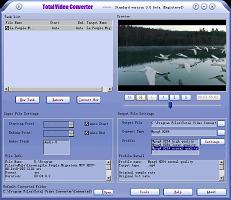
If you want to convert your video, you can use this application. You can reading, playing lots of video and audio formats and converting them to popular video formats.Total Video Converter includes a powerful media conversion engine internally so that you can convert media files with very fast speed.

Main Features of Total Video Converter:
  • Convert all kinds of videos to mobile videos or audios (mp4, 3gp, xvid, divx mpeg4 avi, amr audio) which are used by cell-phone, PDA, PSP, iPod;
  • Photos slide show combines multi-photos and musics with more than 300 photos fantasy transition effect;
  • High compatibility and high efficiency for Importing RMVB or RM video/audio;
  • Convert various videos to MPEG videos compatible with standard DVD/SVCD/VCD;
  • Burn the converted videos to DVD/SVCD/VCD;
  • Rip DVD to popular videos of all sorts;
  • Extract audio from various of videos and convert which to all kinds of audios (mp3, ac3, ogg, wav, aac);
  • RIP CD to audios of all sorts directly;
  • Support using with command line;
  • Combine several video and audio files to one video file;
  • Demultiplex or extract video and audio;
  • Multiplex video and audio to one file;
  • Flv Nelly Mosser audio extract and decode.
This application support many formatting, for detail format you can here or you can download the file from this

Saturday, June 2, 2007

Check web Vulnerability with Acunetix Web Vulnerability Scanner

Website security is possibly today's most overlooked aspect of securing the enterprise and should be a priority in any organization.

Hackers already have a wide repertoire of attacks that they regularly launch against organizations including SQL Injection, Cross Site Scripting, Directory Traversal Attacks, Parameter Manipulation (e.g., URL, Cookie, HTTP headers, HTML Forms), Authentication Attacks, Directory Enumeration and other exploits. Moroever, the hacker community is very close-knit; newly discovered web application intrusions are posted on a number of forums and websites known only to members of that exclusive group. Postings are updated daily and are used to propagate and facilitate further hacking.

Feature Application
  • JavaScript / AJAX Support – Client Script Analyzer (CSA)
  • Scheduler Application
  • Command Line
  • URL Rewrite Support
  • Detects Google Hacking Vulnerabilities
  • Extend Attacks with the HTTP Editor & Sniffer
  • In-depth Testing with the HTTP Fuzzer
  • Login Sequence Recorder for Protected Areas
  • Automatic HTML Form-filler
  • Crawl Flash Files
  • Test Password Strength Of Login Pages
  • Vulnerability Editor
  • Supports all Major Web Technologies
  • Scanning Profiles
  • Report Generator
  • Compare Scans and Find Differences
  • Easily Re-Audit Website Changes

If you need more information you can visit at http://www.acunetix.com/vulnerability-scanner/features.htm Or you can check at http://rapidcollection.blogspot.com/2007/06/audit-your-web-site-security-with.html for check rapidshare file.

Monday, May 28, 2007

SpeedCommander Change Your File Manager


SpeedCommander is a comfortable file manager. It builds on the proven two window technology and offers a multitude of exclusive features. Sort, copy, move or delete your files either using the keyboard or the mouse.

SpeedCommander reads and creates ZIP archives, Microsoft CAB files and fully supports ten additional compression formats. The newly expanded search feature will find files within all ten supported Archive formats. The internal file viewer displays over 80 graphics and text formats.

In addition, SpeedCommander contains a powerful text editor with numerous extras including syntax highlighting. With the integrated FTP, FTP via SSH (SFTP) and FTP via SSL you can both download files from the net and upload your own web pages. SpeedCommander even integrates a web browser for you to surf the web!
* Two folder windows which can be arranged horizontally or vertically
* Multiple folder views in one folder panel
* File Container with multiple independent containers
* Quick access to Network Neighborhood, Internet and FTP
* Direct support for the archive formats ACE, ARJ, BZIP, CAB,GZIP, JAR, LZH, RAR,SQX, TAR, UUE, ZIP for compression and decompression
* Integrated Quick View for many file formats
* Multi-rename tool
* Fast and comfortable Search Program (FileSearch)
* Command line tool to synchronize files and folders
* Flexible editor for text files (SpeedEdit)
You can lauch this application from USB sticks. A special build for U3-compatible USB sticks.

You can visit the official site at here

Monday, April 30, 2007

Keep Your Windows XP TuneUp

Now you can tuneUp adn optimizing your windows XP more easy and simple with tuneUp Utitities 2007. You can optimizing all your system.

TuneUp Utilities 2007 can make your Windows operating system faster, more comfortable and more secure with just a few mouse clicks. And all configuration changes are completely safe, because all changes are monitored by TuneUp RescueCenter and can be undone at any time.

All TuneUp Utilities modules can be accessed through a common interface that is divided into five categories. The following is a list of all categories and modules.

TuneUp Utilities have five categories and all categories have a few module that can accessed through a simple interface.

Customize and Analyze
  • You can customize your windows looks and feel
  • You can control what program will running on your windows startup
  • Your computer comprehensive information
  • Icons, boot screen and logon screen customizing,
CleanUp and Repair
  • Recovery your disk space with remove all junk file
  • You can correcting error in your's disk
  • Show the disk space usage on your system
  • Remove bad registry and fix all missing registry
Optimize and Improve
  • Memory Monitoring and optimizing
  • Corrects physical errors in the registry and defragments it
  • Checks your system for settings that might be slowing it down
Administer and Control
  • You can tuneup your process manager with manage all your running programs
  • Help you to edit and search the registry
  • Remove the program you don't need anymore
File Recovery And Destruction
  • Deletes files securely and permanent, ensuring that they cannot be recovered later
  • Recovers files that have been deleted from the Recycle Bin
Tuneup allways backup all operation that they doing so if you have some problem with your system you can restore it.

For completed references and information you can visit here

Thursday, April 26, 2007

Aquarium Desktop 2007 it's like having an aquarium on your pc

Aquarium Desktop 2007 it's not just desktop screen saver, it's like having an aquarium on your pc. You cat puts virtual fish and plants onto your desktop and they will swim around while you work.

If the package element's still doesn't enough you can buy more element at here

Aquarium Desktop 2007 Feature
  • Smoothly animated fish swim across your desktop in a life-like manner.
  • Plants gently move to the current of the virtual water.
  • Add plants, anchors, debris, and even a treasure chest to your desktop.
  • Options to configure type and quantity of fish, shadows, sounds, and more!
  • CPU-smart! Will not use CPU if fish are covered (it won't slow down your system).
  • The 2007 version is a new version that includes new backgrounds and elements!
This tools it's not free, you can buy it with $9.95 at here

I think this cool application for make your desktop more colorfull and life